Localization Update Manager
A downloadable tool for Windows
Why waste time on the boring parts?
Checking localization updates is simple. It’s also annoying.
Compare two files. Find the changed strings. Work out which translations are still usable. Check placeholders. Send the right lines back for review. Repeat every update.
That sounds like something a small program should be doing instead.
So that’s what Localization Update Manager does.
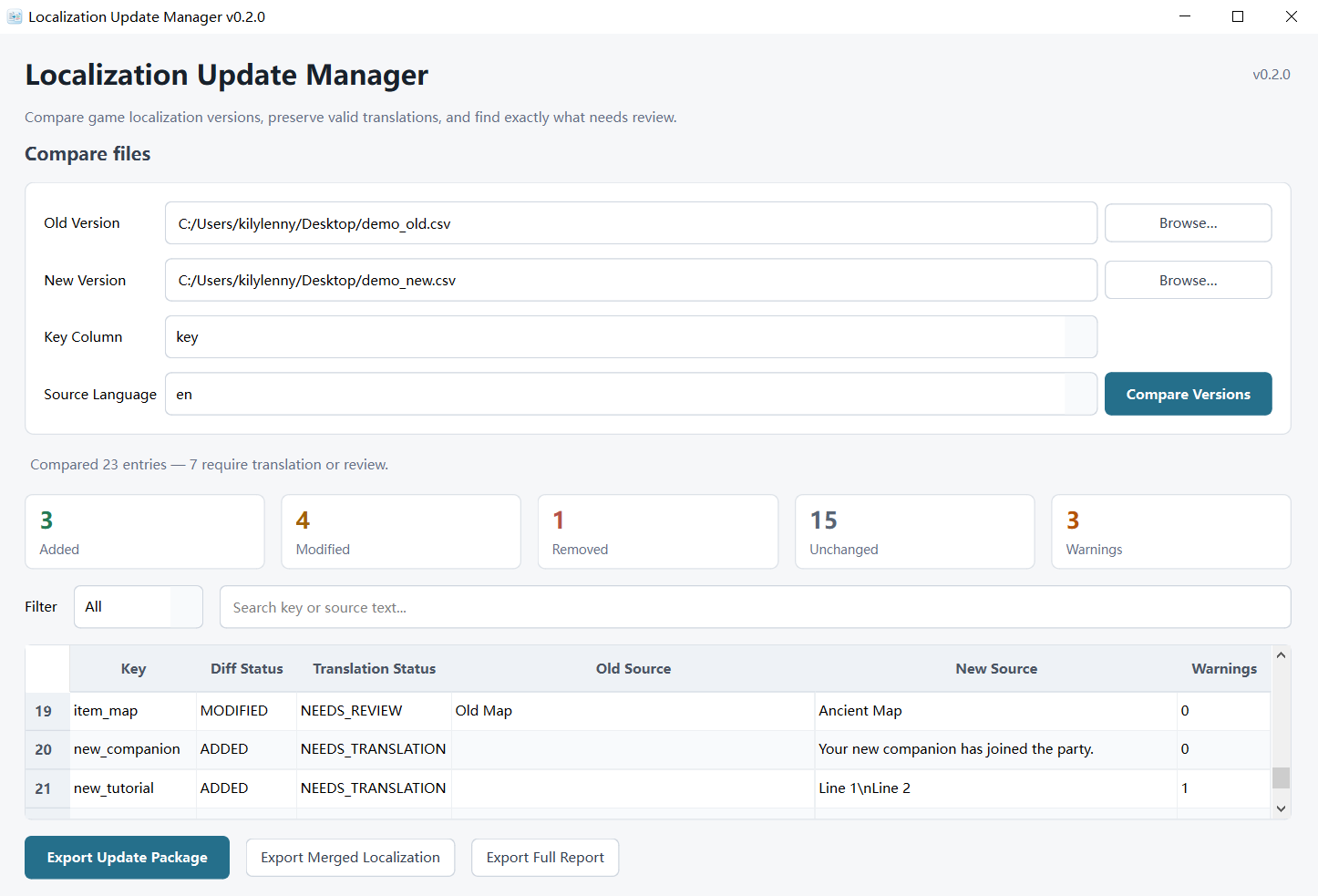
Drop in the old and new localization files, and it sorts out what was added, changed, removed, or left alone — while keeping valid translations and flagging anything that needs another look.
What it does
- Compare old and new localization files
- Detect Added / Modified / Removed / Unchanged entries
- Preserve valid existing translations
- Generate a clean translation update package
- Catch placeholder mismatches
- Catch rich-text / formatting tag issues
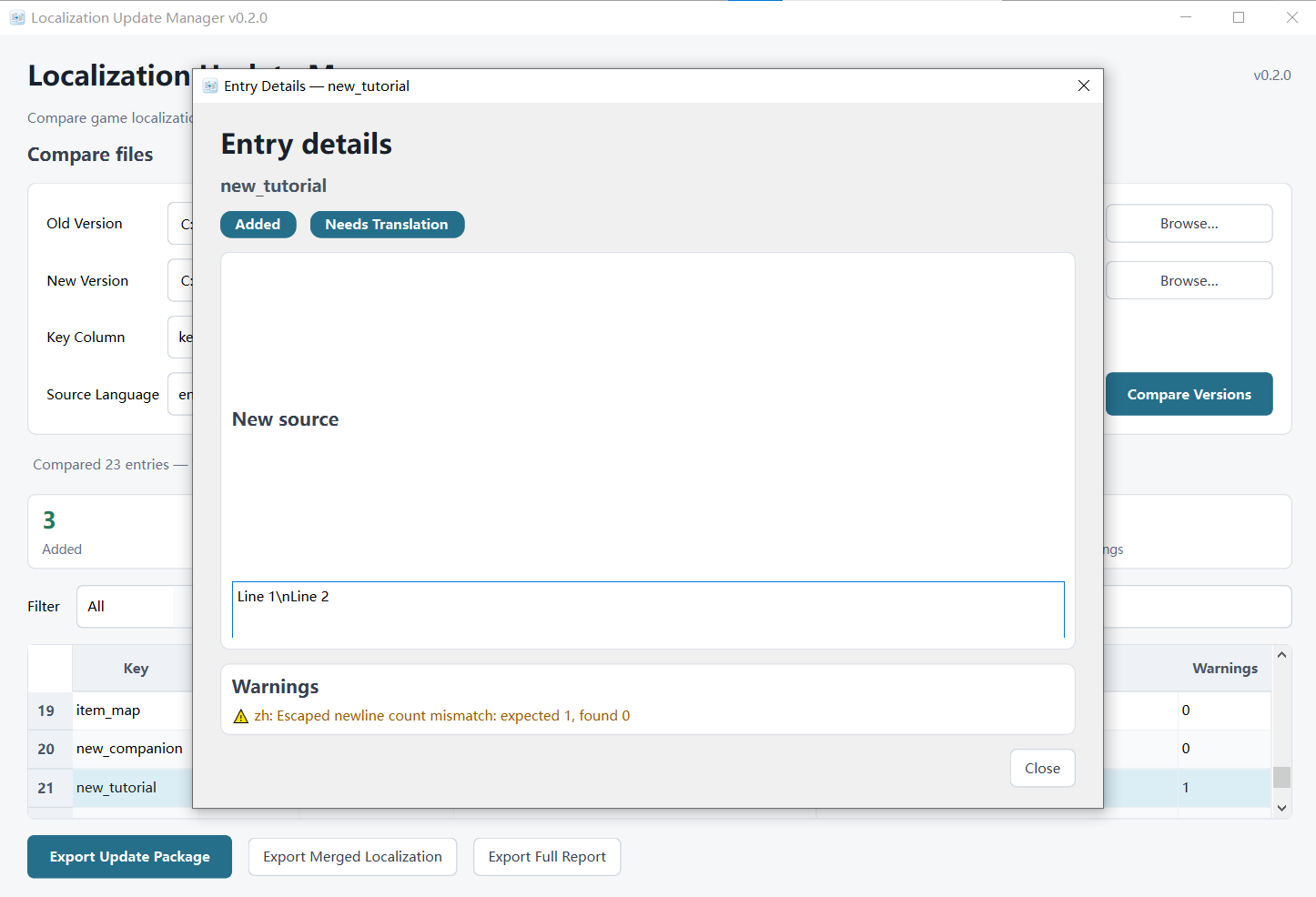
- Detect escaped newline mismatches
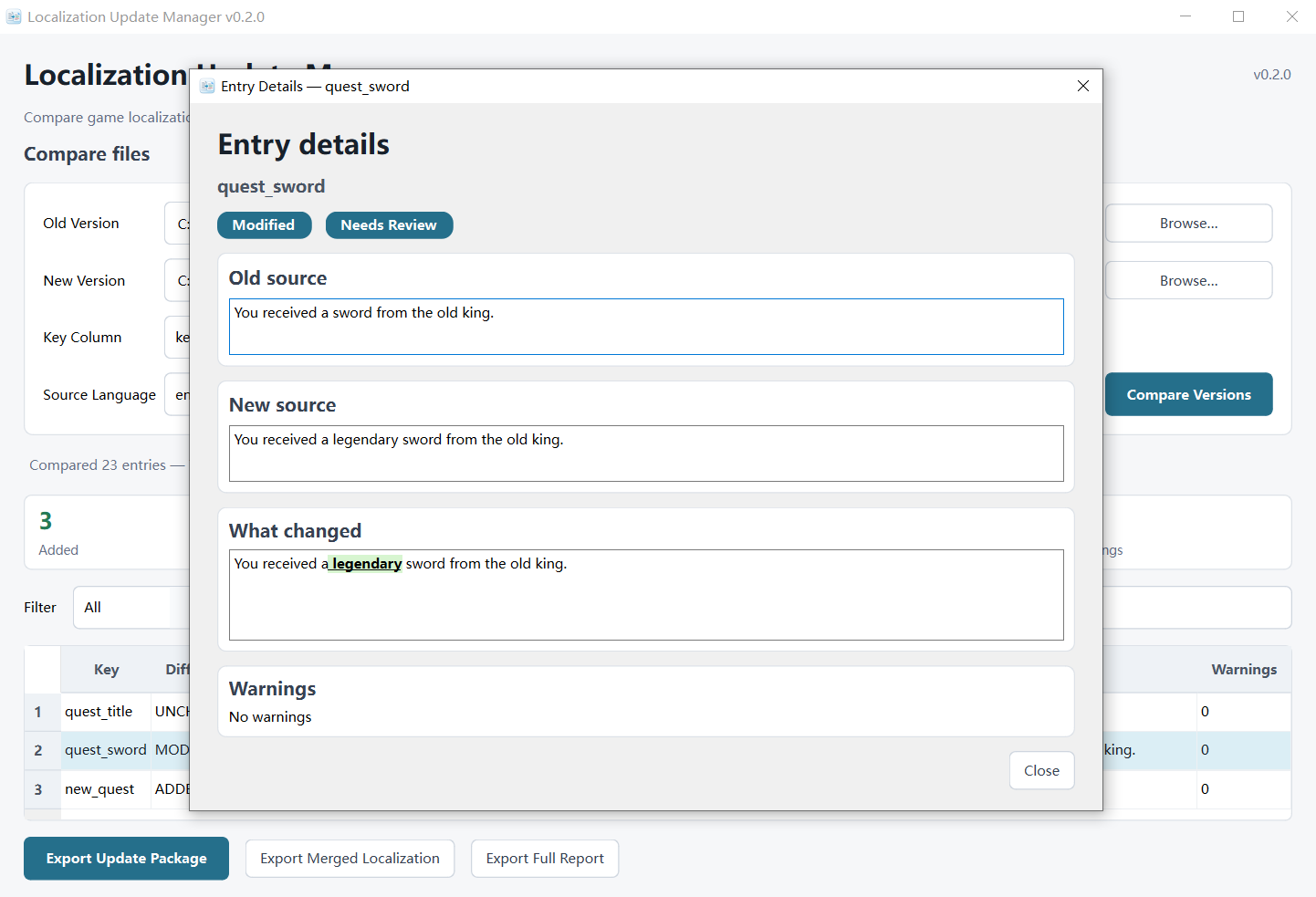
- Highlight exactly what changed inside modified source strings
- Export merged localization files
- Export a full HTML report
- Search and filter comparison results
Typical workflow
- Select the Old Version localization file
- Select the New Version localization file
- Choose the Key Column
- Choose the Source Language
- Click Compare Versions
- Review anything that was added, changed, removed, or flagged
- Export the Update Package, Merged Localization, or Full Report
Supported formats
Currently supported:
- CSV
- Supported flat JSON localization structures
CSV files should use UTF-8 or UTF-8 BOM.
Not currently supported:
- XLSX
- PO
- Arbitrary nested JSON structures
Local & private
Everything runs locally on your computer.
Your localization files are not uploaded anywhere, and the application does not use any cloud service or AI service at runtime.
The original files you select are never modified. Exports are written as new files.
Platform
- Windows
- No Python installation required
- Download the ZIP, extract the whole folder, and run
LocalizationUpdateManager.exe
Please keep the EXE and the _internal folder together.
Because this is currently an unsigned indie application, Windows SmartScreen may show a warning the first time you launch it.
AI disclosure
Generative AI was used as a development assistant and to create the application icon.
The application itself does not use generative AI at runtime, and your localization files are never sent to an AI service.
Version
v0.2.0
Purchase
In order to download this tool you must purchase it at or above the minimum price of $4.99 USD. You will get access to the following files:
Leave a comment
Log in with itch.io to leave a comment.